
DuitNow Deposit at LUCKYTOWN PLUS - Complete Guide
Why Use DuitNow for Deposits at LUCKYTOWN PLUS?

Instant and Secure Transactions
DuitNow lets you deposit into your LUCKYTOWN PLUS account in real time using supported banks and e-wallets. It is a fast and secure way to top up without waiting for long manual processing.
Low Minimum Deposit
You can start with a minimum deposit of just RM10, making DuitNow a practical option whether you want to test the platform or begin with a smaller bankroll.
Two Convenient Options
LUCKYTOWN PLUS supports both Go Pay DuitNow and UPay DuitNow. You can choose the payment flow that matches the option shown in your account and complete the transfer in a few steps.
Method 1: Go Pay DuitNow Deposit


Step 1: Access the "Me" Section
Log in to your LUCKYTOWN PLUS account and tap the "Me" section from the bottom navigation to open your personal account area.
Step 2: Select "Deposit / Withdrawal"
Open the "Deposit / Withdrawal" page to view the payment channels available for your account.
Step 3: Click "DEPOSIT DOWN"
Choose the "DEPOSIT DOWN" option to continue to the Go Pay DuitNow deposit flow.
Step 4: Enter Receipt Amount
Fill in the amount you want to deposit and double-check it before moving to the next step.
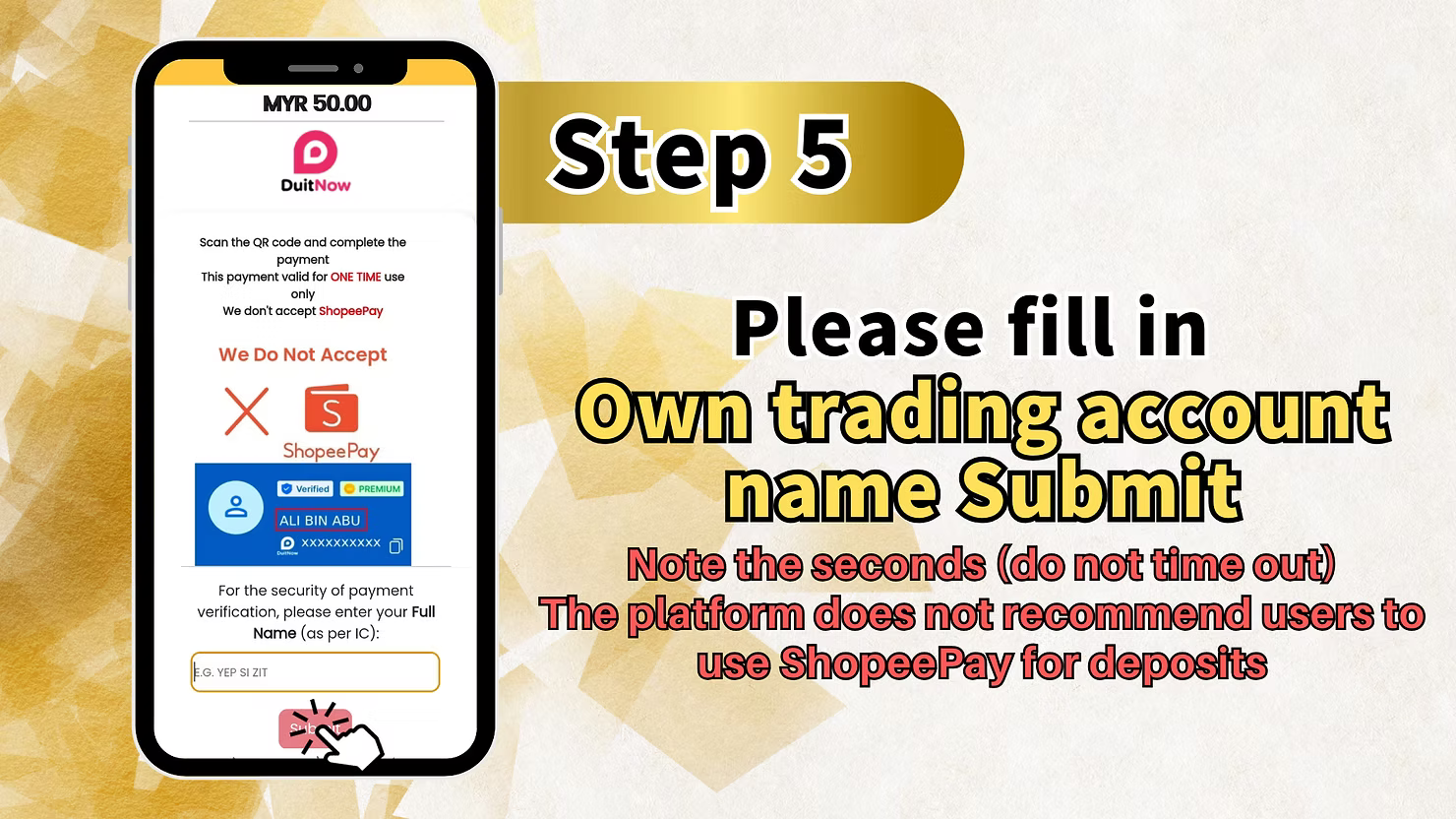
Step 5: Fill in Open Trading Account Name
Enter the open trading account name exactly as required on the form so the platform can match the deposit correctly.
Important Name Matching Note
The account name you submit should match your registered details. A mismatch may delay the approval of your deposit.
Step 6: Scan QR Code and Deposit
Scan the displayed DuitNow QR code with your banking app or e-wallet, then complete the payment and return to the platform for processing.
Important Platform Notice
The platform notes that this QR-based deposit flow is available, but it is not the recommended deposit method. Follow the instructions carefully if you choose to use it.
Method 2: UPay DuitNow Deposit

Step 1: Access the "UPT" Section
After logging in, tap the "UPT" section to open the UPay payment area inside your account.
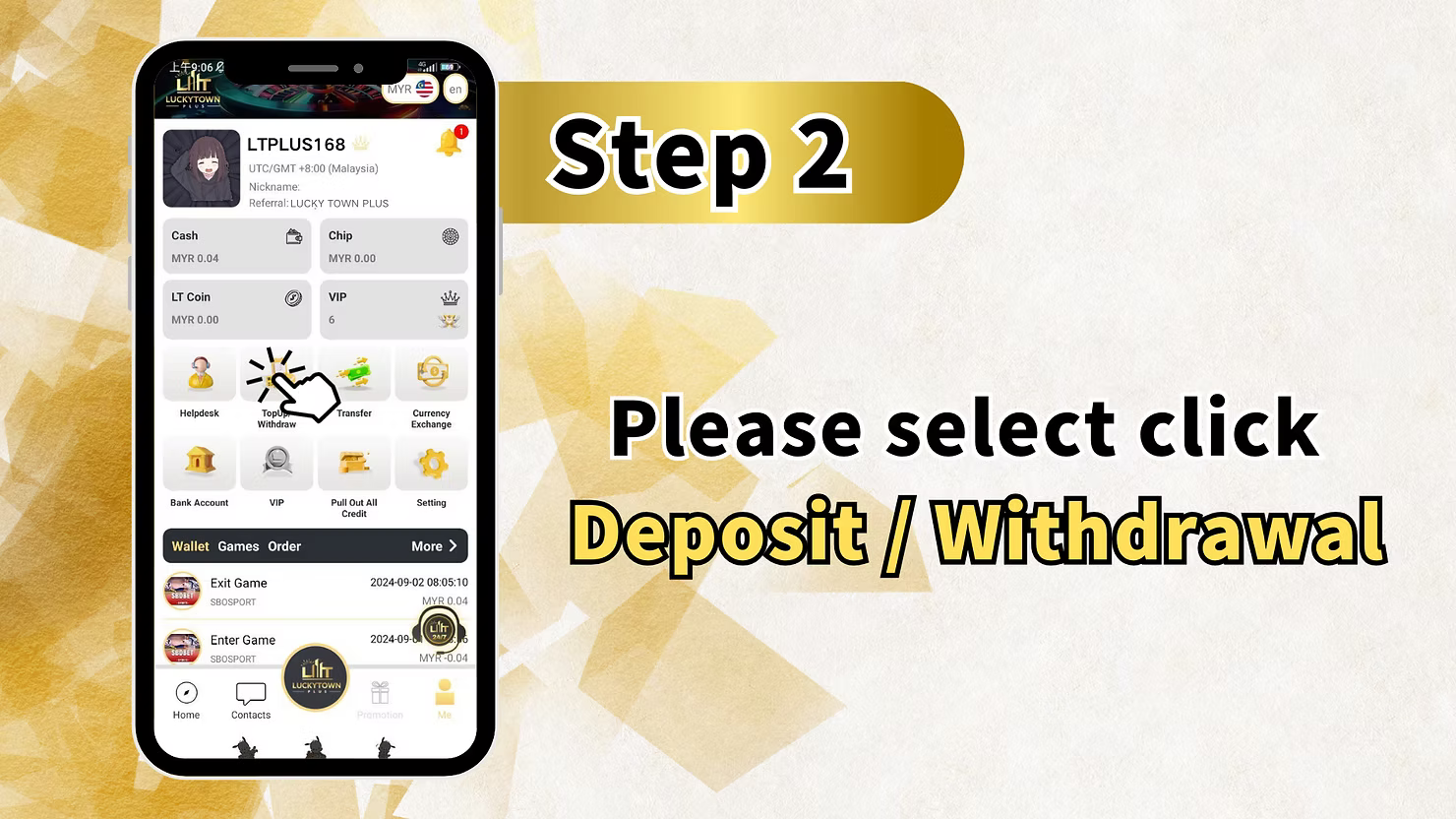
Step 2: Select "Deposit / Withdrawal"
Choose "Deposit / Withdrawal" to enter the page where UPay payment methods are listed.
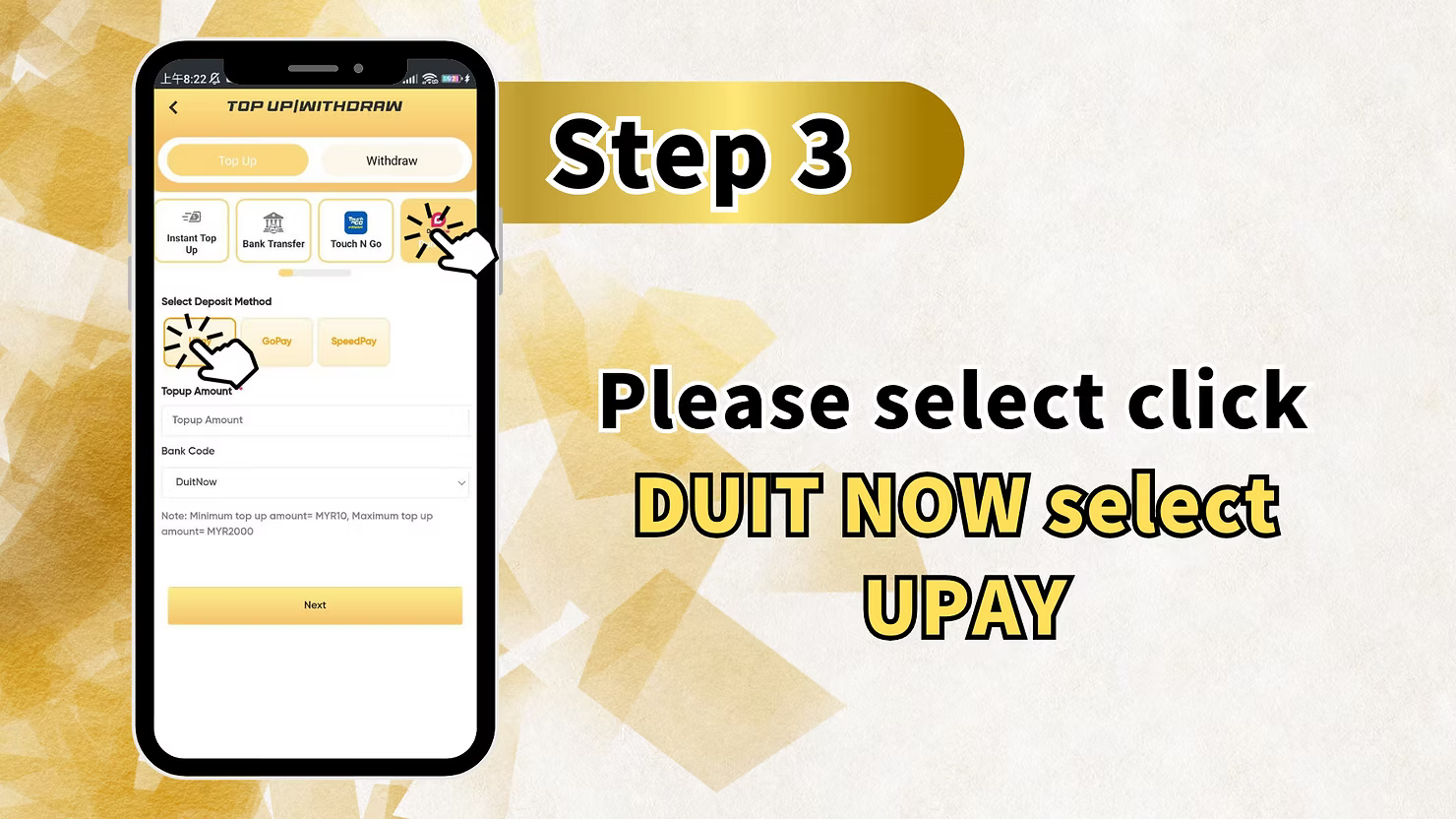
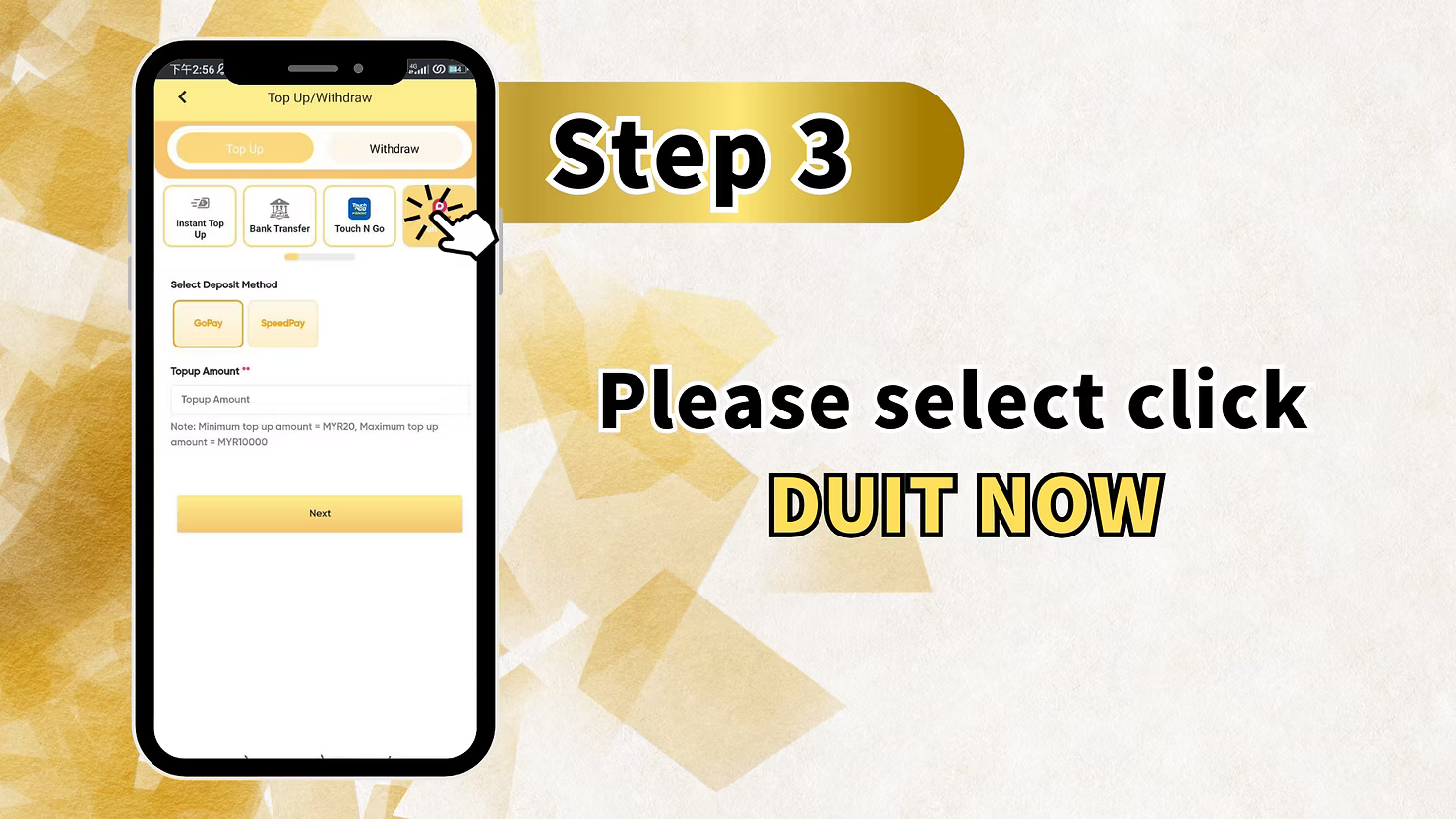
Step 3: Click "BUY NOW" and Select "UP PAY"
Tap "BUY NOW" and then choose "UP PAY" as your payment method before continuing.
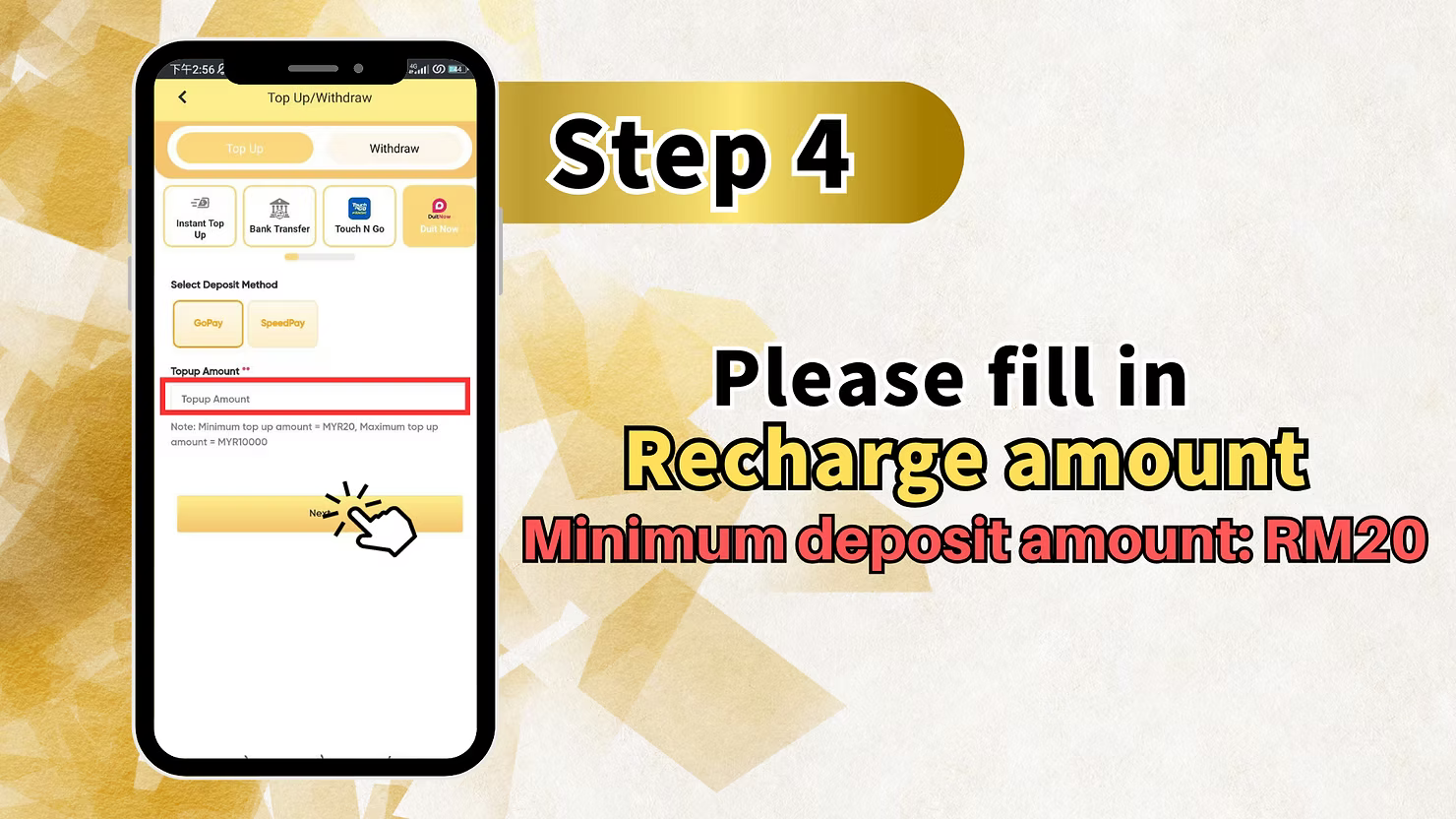
Step 4: Enter Recharge Amount and Select Method
Enter the amount you want to recharge, then select the DuitNow method shown in the payment interface.
Important Minimum Deposit Note
The workbook notes that the minimum deposit for this flow is RM10. Complete the payment promptly to avoid timeout issues.
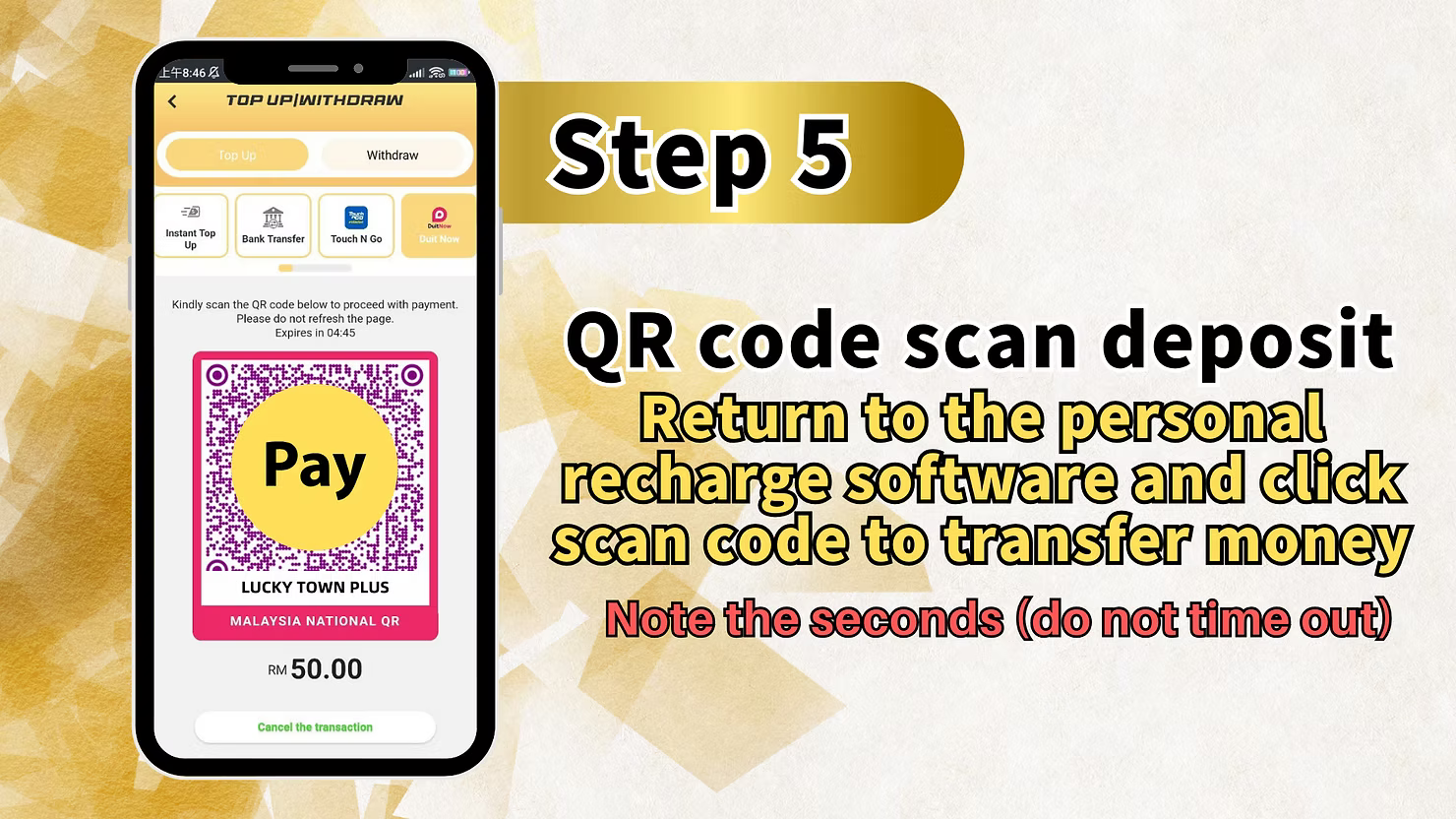
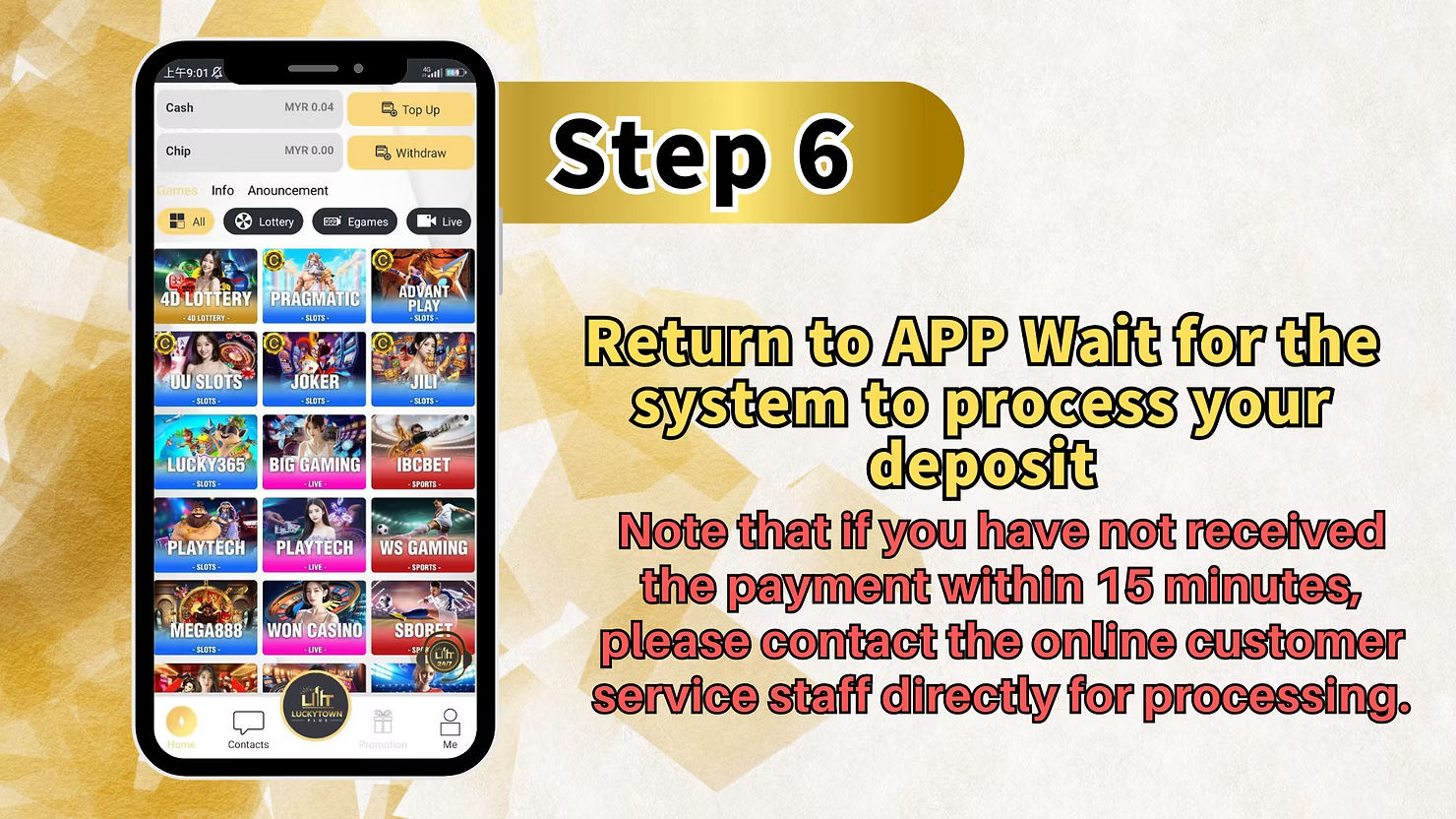
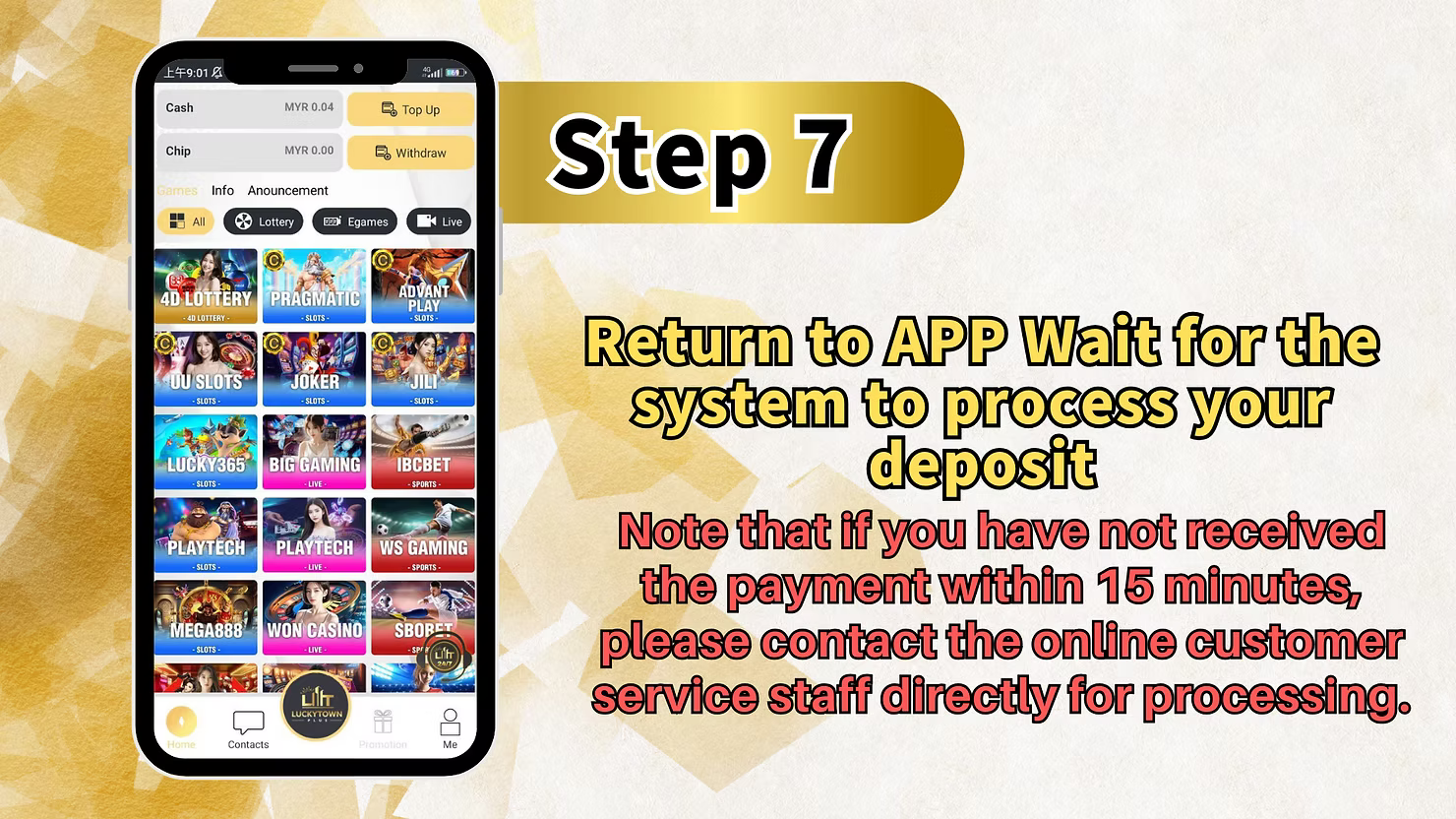
Step 5: Wait for Processing
Once the payment is completed, return to your account and wait for the platform to process the deposit.
Support Reminder
If the deposit has not been credited within 15 minutes, contact online customer service directly and provide your transaction details for faster handling.
Important Notes for DuitNow Deposits
Minimum Deposit Amount
The minimum deposit amount for DuitNow on LUCKYTOWN PLUS is RM10.
Processing Time
Most DuitNow deposits are processed quickly. If your balance is still not updated after 15 minutes, you should contact customer support.
Name Matching Requirement
Make sure the payment name and account information you submit match your registered details to reduce delays during review.
Frequently Asked Questions About DuitNow Deposits
What is the minimum deposit amount for DuitNow?
The minimum deposit amount is RM10.
How long does processing take?
Processing is usually quick, but you should allow up to 15 minutes for the deposit to be credited.
What if my deposit is not credited after 15 minutes?
Contact LUCKYTOWN PLUS online customer service directly and share your payment details so the support team can check the transaction.
Can I use both Go Pay and UPay options?
Yes. LUCKYTOWN PLUS provides both Go Pay DuitNow and UPay DuitNow, depending on the payment flow available in your account.
Why is name matching important?
Name matching helps the platform verify that the payment belongs to the correct account and reduces the chance of delays.
Can I use QR deposit for all banks?
You can use QR deposit with supported banking apps and e-wallets that work with DuitNow QR. Availability depends on your payment provider.
Deposit Instantly with DuitNow at LUCKYTOWN PLUS
Ready to fund your account? Follow the step-by-step guide for Go Pay or UPay DuitNow and complete your deposit quickly and securely. Start playing at LUCKYTOWN PLUS with a minimum deposit of just RM10.
Deposit with DuitNow Now at LUCKYTOWN PLUS